Q

QQ turns a support backlog into a reviewed knowledge base and a reply queue you can clear in one sitting.

Every past ticket arrives filed by a machine and waits for your yes or your correction. The best staff replies become canned replies that remember where they came from. The open queue sorts itself by who spoke last, so the next ticket to answer is always the one on top.

127.0.0.1 / inbox
The Inbox: open tickets where the requester spoke last, each row coloured by its rollupThe Inbox: open tickets where the requester spoke last, each row coloured by its rollup
Account recoveryAccount verificationProfile changesTakedowns & moderationContent correctionsAPISite bugsHow-toSite feedbackMisdirectedSpam / noiseSecurity & dataTwelve rollups, one colour each, the same on every screen. Demo data: a fictional helpdesk, The Galactic Helpdesk.

The loop

One pass through Q goes the same way every time: the backlog comes in, gets filed, gets checked by a person, and turns into replies you can reuse.

  1. Import

    Tickets, threads and requesters come in from the helpdesk export. Re-importing is safe: it replaces the machine data and never touches a review.

  2. Classify

    A model files every ticket: its category, its outcome, what the requester asked for and which message solved it.

  3. Review

    You accept or correct each label with one key. The machine's answer stays visible next to yours.

  4. Reuse

    Good staff messages become canned replies. Each one keeps links to the real tickets it was drawn from.

  5. Inbox

    Open tickets where the requester spoke last, oldest first. Repeat requesters show their history inline.

  6. Draft and send

    Draft in Q, fill the placeholders, copy the reply into the helpdesk and mark it sent.

  7. Refresh

    New tickets arrive from the helpdesk API, unclassified and visibly unfiled until you file them.

Refresh feeds the next import, and the loop starts again.

Six screens, one queue

Queue and Inbox

The queue leads with what the decision needs: the title, the rollup colour, the outcome, the review state and who is waiting. Filters take several values at once and save as named views; the Inbox is the default one, open tickets where the requester spoke last. Everything runs from the keyboard: j and k to move, Enter to open.
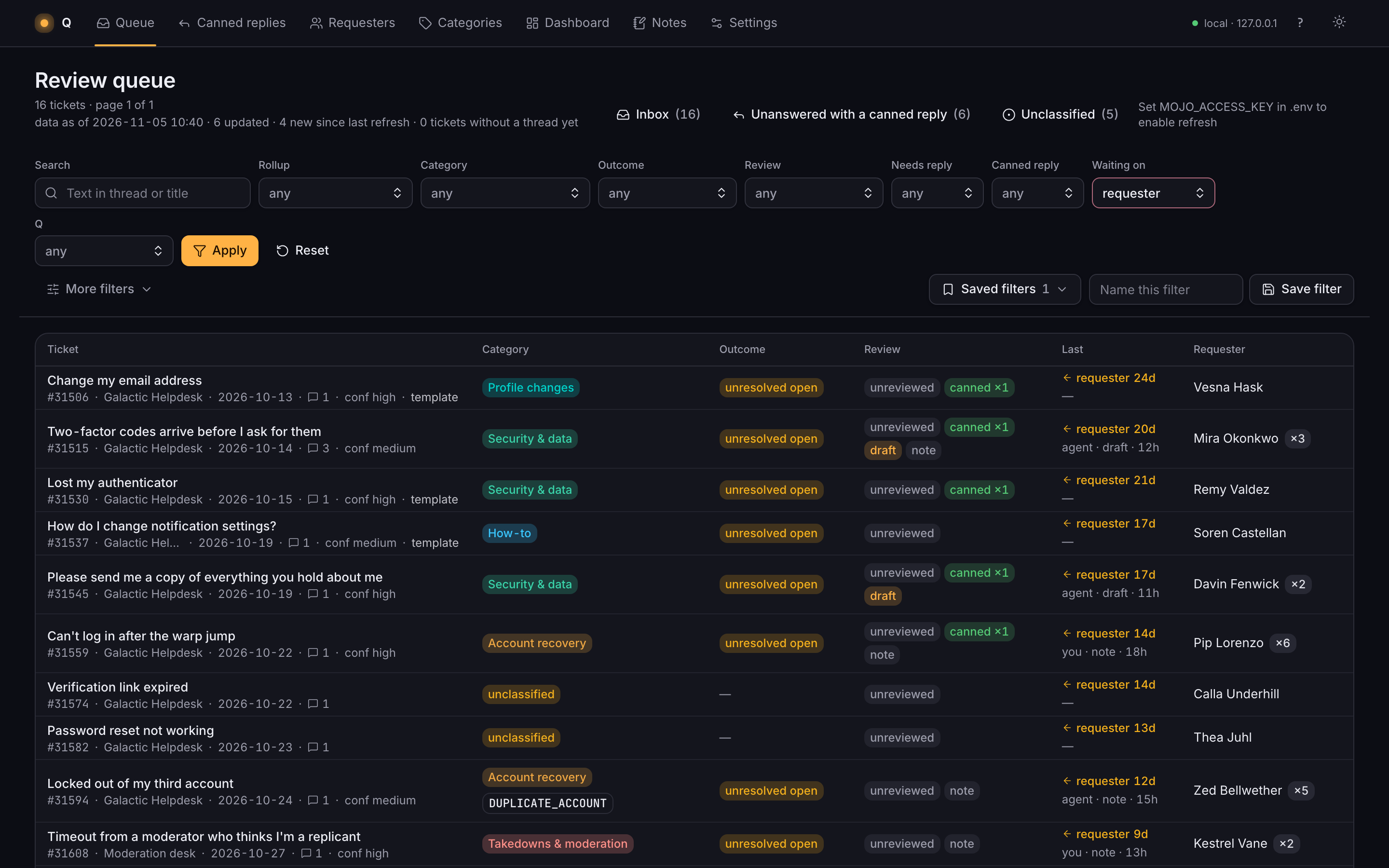
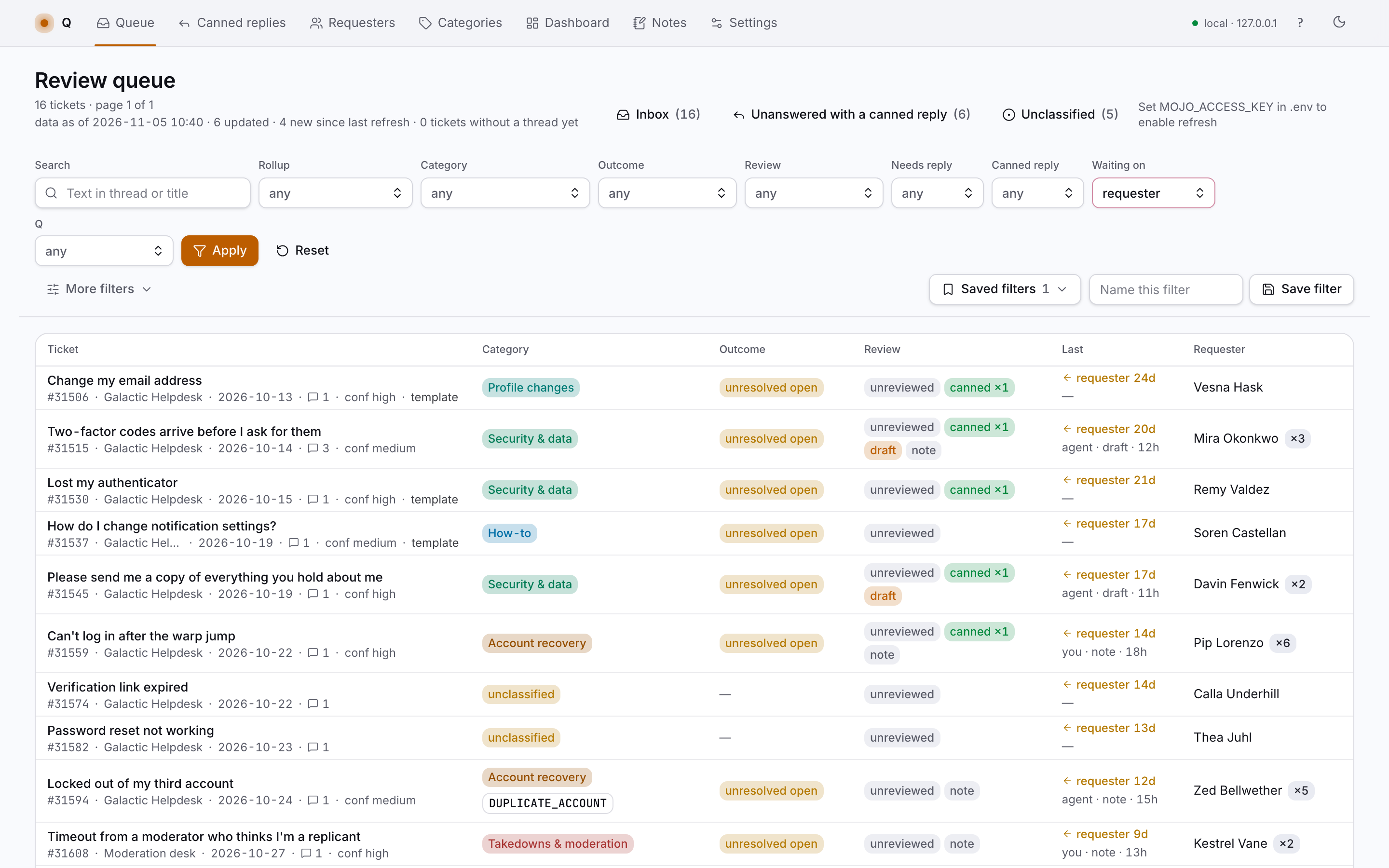
127.0.0.1 / inbox
The Inbox: open tickets where the requester spoke last, each row coloured by its rollupThe Inbox: open tickets where the requester spoke last, each row coloured by its rollup

Ticket

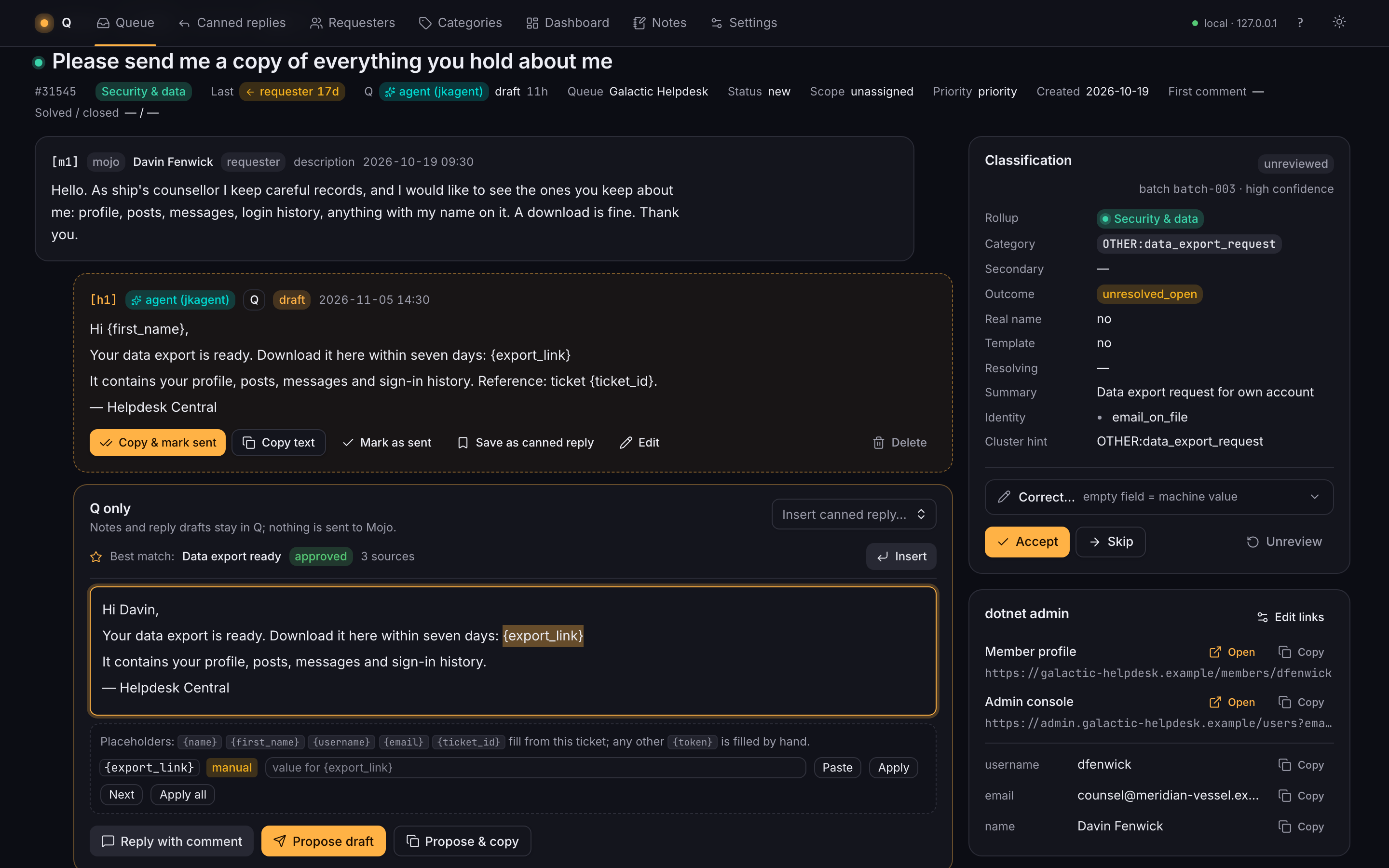
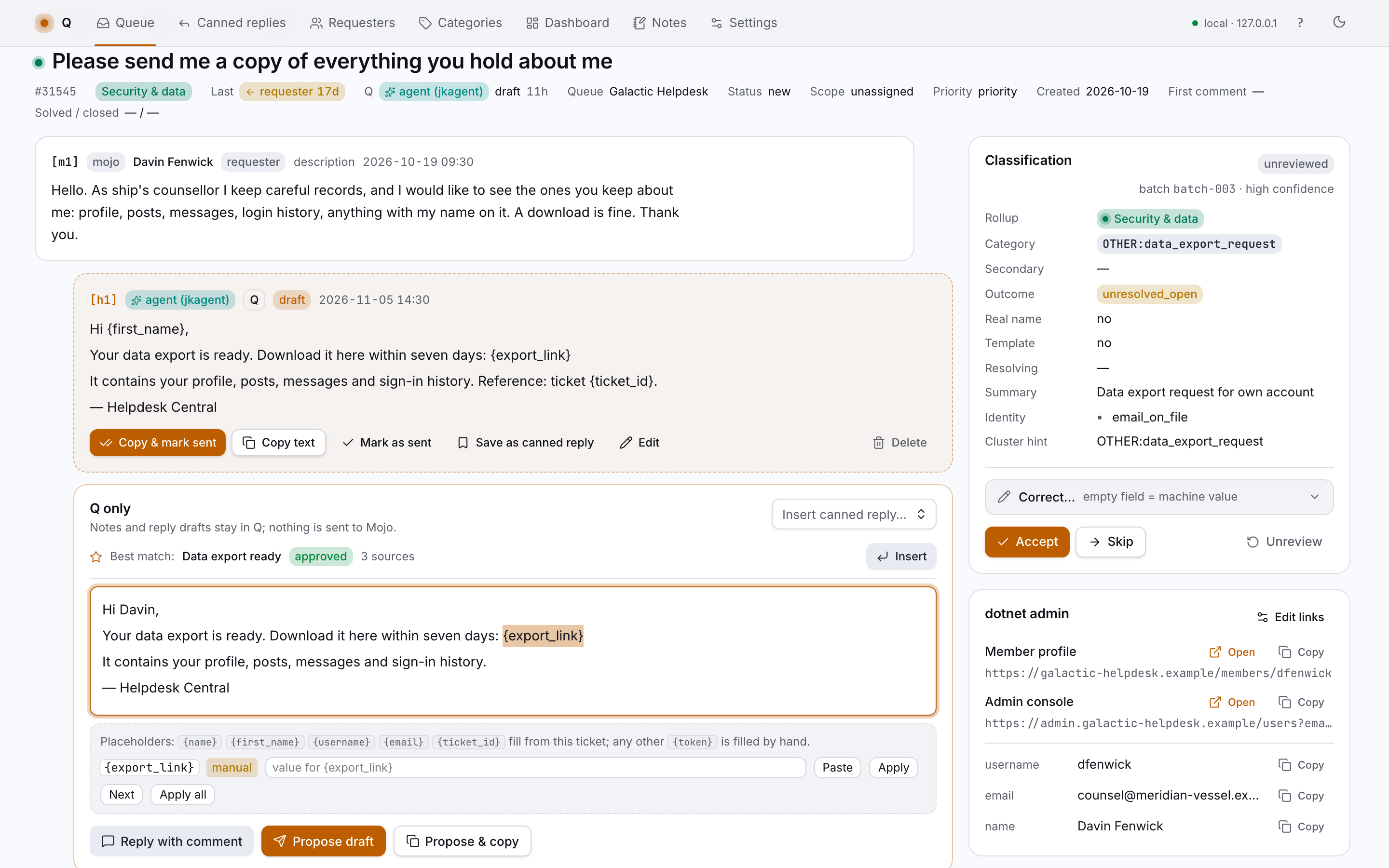
The helpdesk thread sits beside a Q-only thread of notes and drafts, numbered [m3] and [h2] so either side can point at the other. Drafts carry placeholders: {first_name} and {ticket_id} fill themselves, the rest wait in a bar until you type them. The admin card resolves your internal tool links for this requester, ready to open or copy.

127.0.0.1 / tickets / 31545
A ticket page with the helpdesk thread, a Q draft with placeholders, and the classification panelA ticket page with the helpdesk thread, a Q draft with placeholders, and the classification panel

Suggestions and canned replies

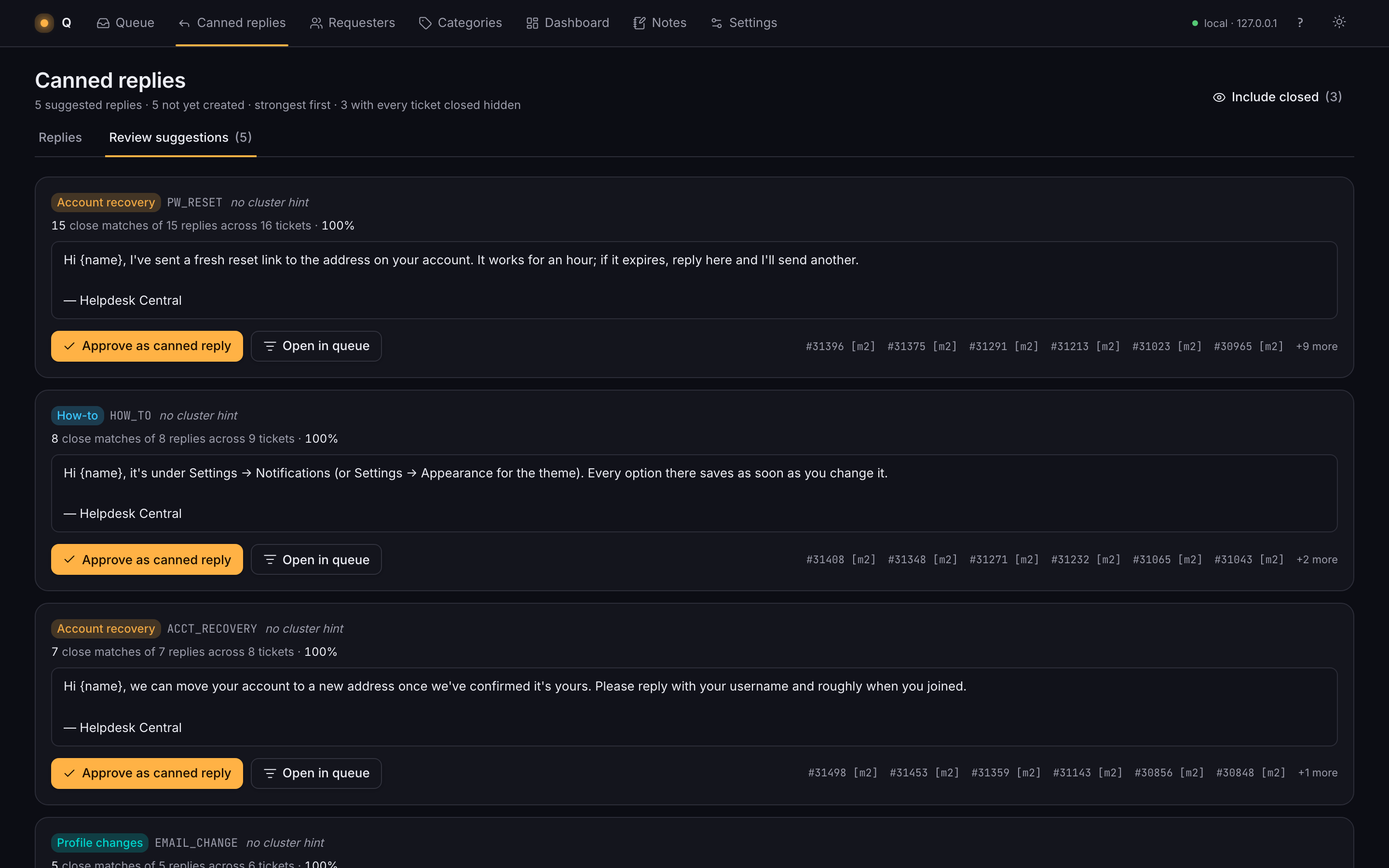
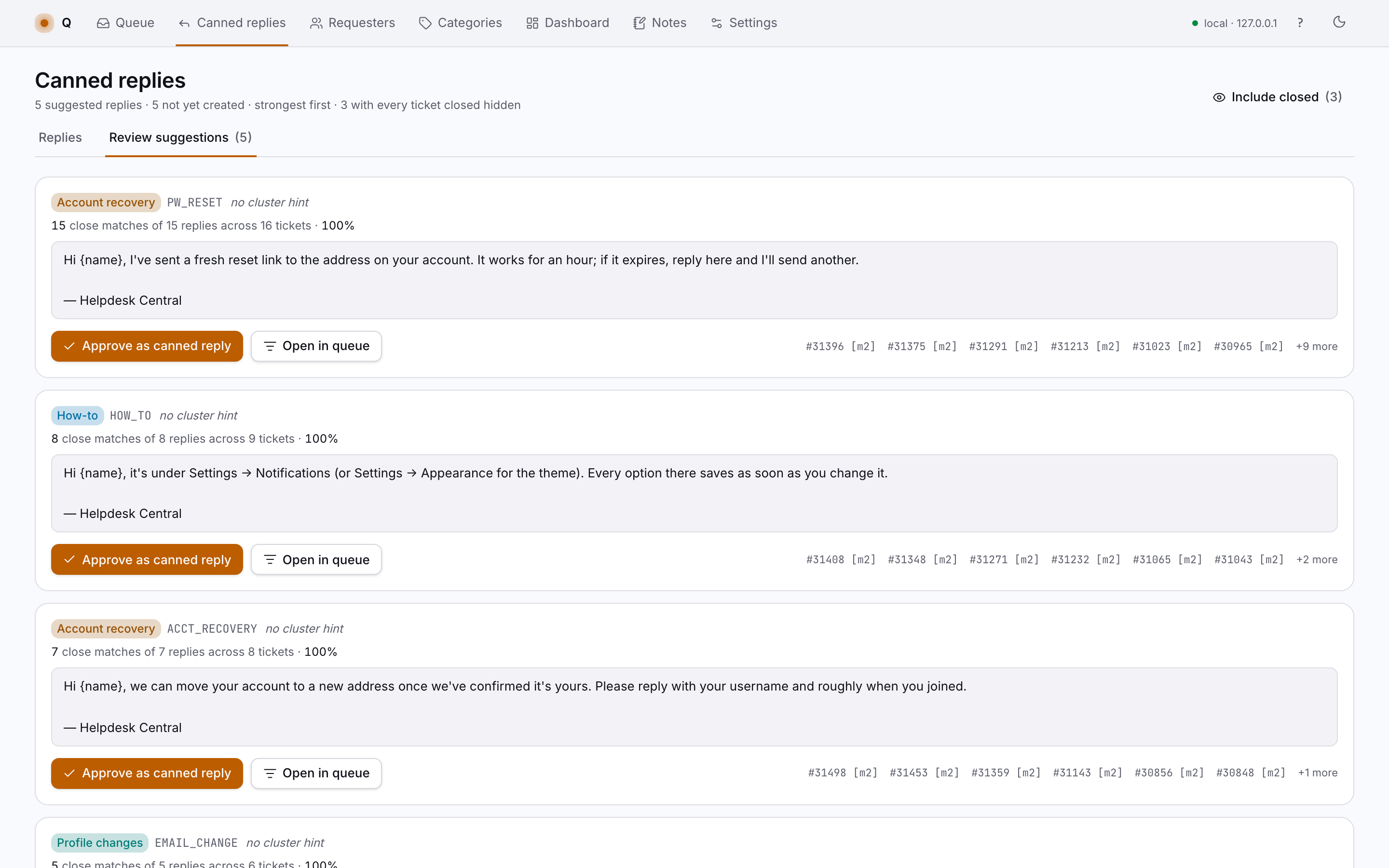
For any group of tickets, Q finds the staff reply the others resemble most, plus the variants that say it differently, and turns it into a draft with placeholders. Save one as a canned reply and it keeps its sources; open a canned reply and you see every ticket it answered.

127.0.0.1 / canned / suggestions
Suggested canned replies grouped by category, with the staff messages they came fromSuggested canned replies grouped by category, with the staff messages they came from

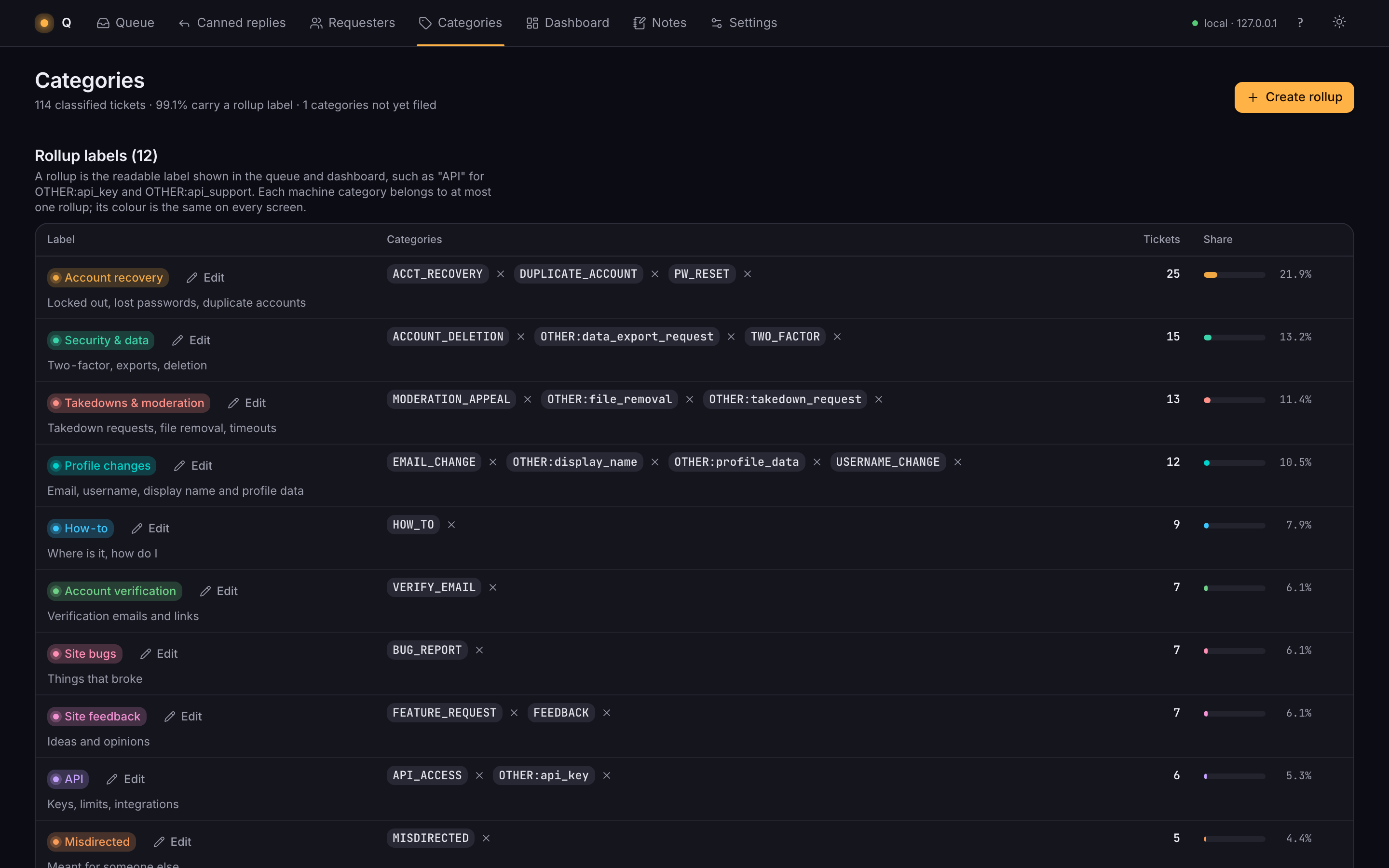
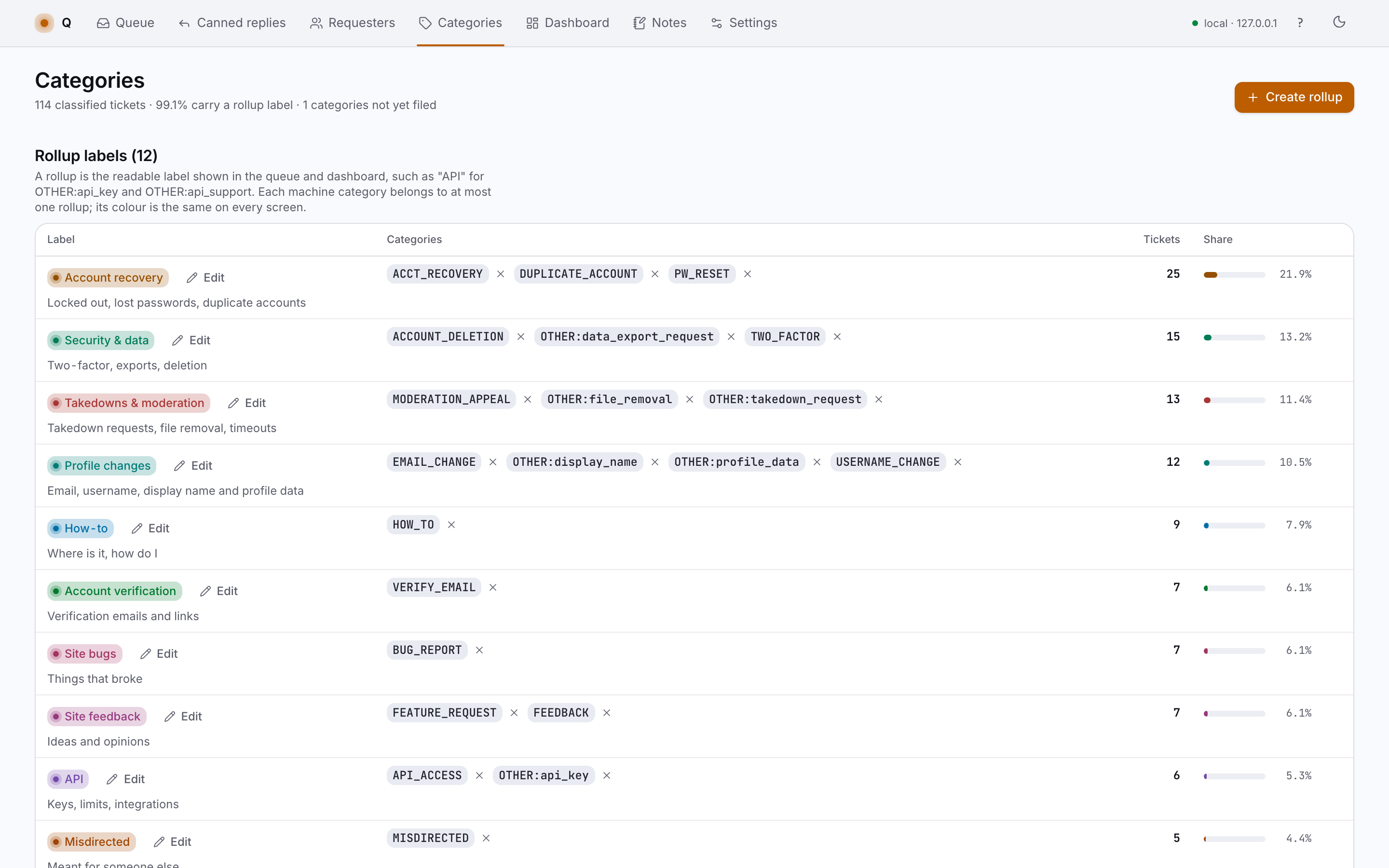
Categories and rollups

Machine categories are precise and numerous. Rollups gather them under readable labels like Account recovery or Takedowns & moderation, and each rollup owns one colour that marks it on every screen. A new category with no rollup stays grey until you file it.

127.0.0.1 / categories
Categories screen: machine categories grouped under coloured rollup labelsCategories screen: machine categories grouped under coloured rollup labels

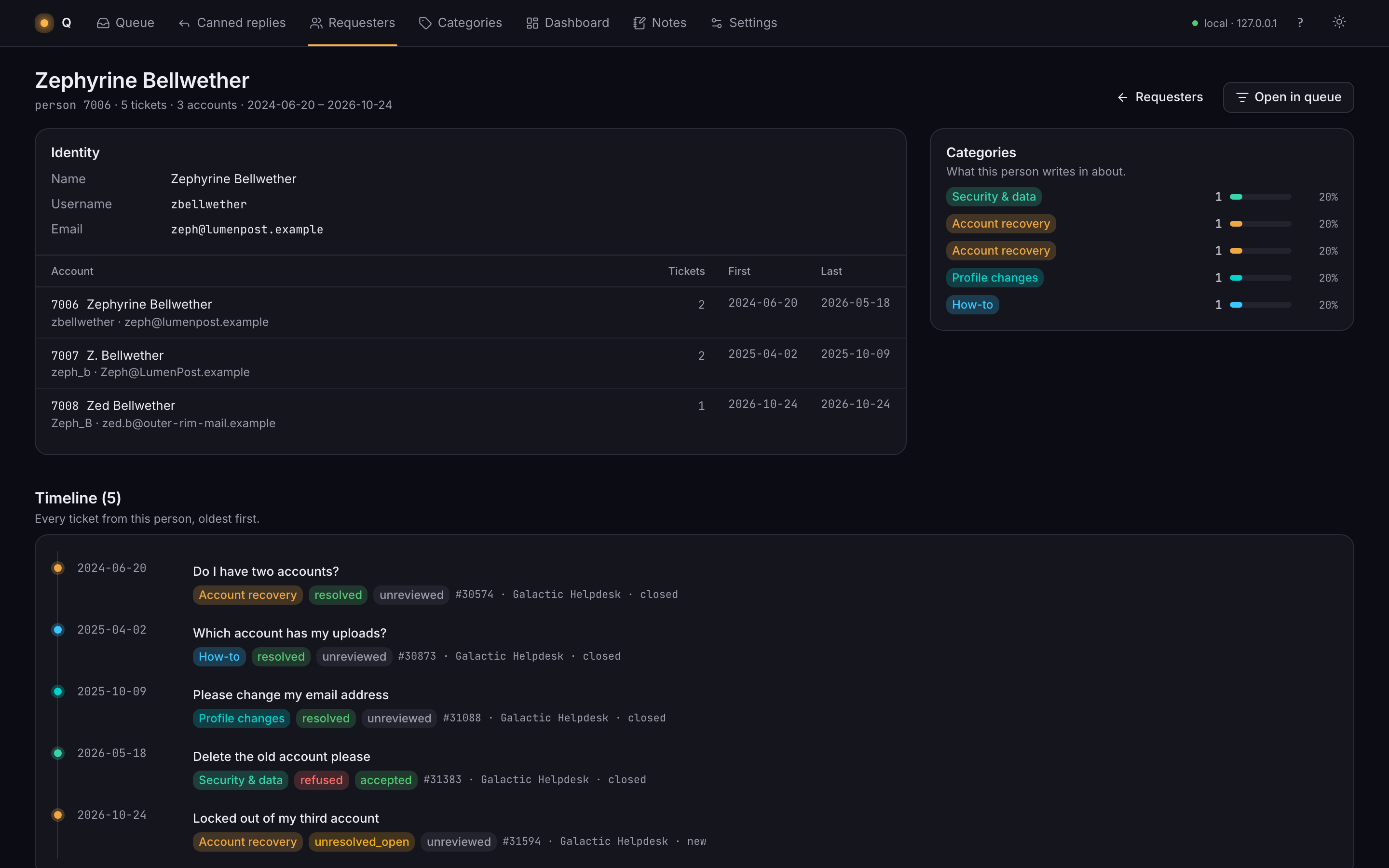
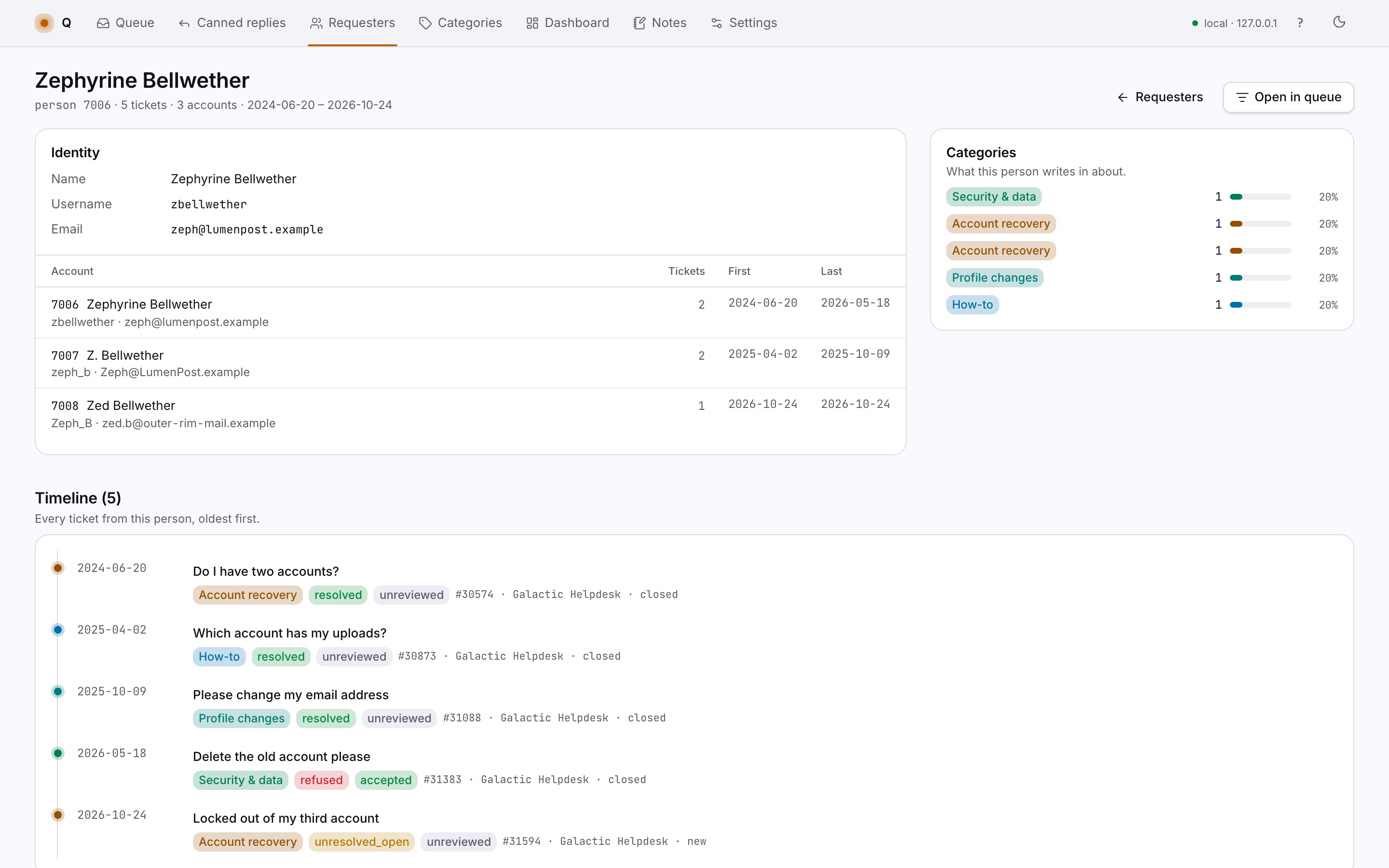
Requesters

One person, three accounts, eleven tickets over two years: Q links requesters that share an email or username, shows the whole timeline in order, and lets you merge the ones it missed.

127.0.0.1 / requesters / 7006
A repeat requester's timeline across three accountsA repeat requester's timeline across three accounts

Dashboard

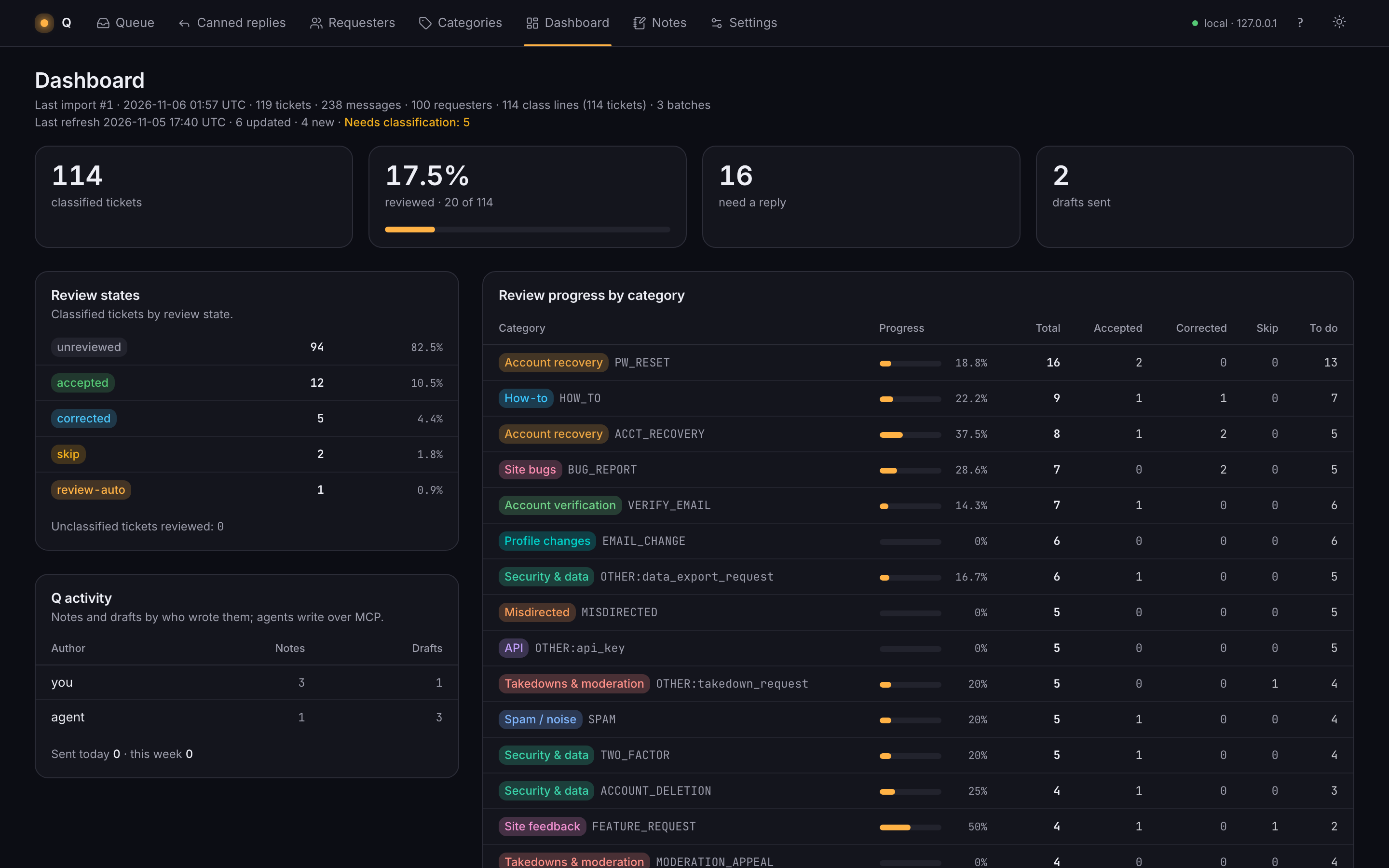
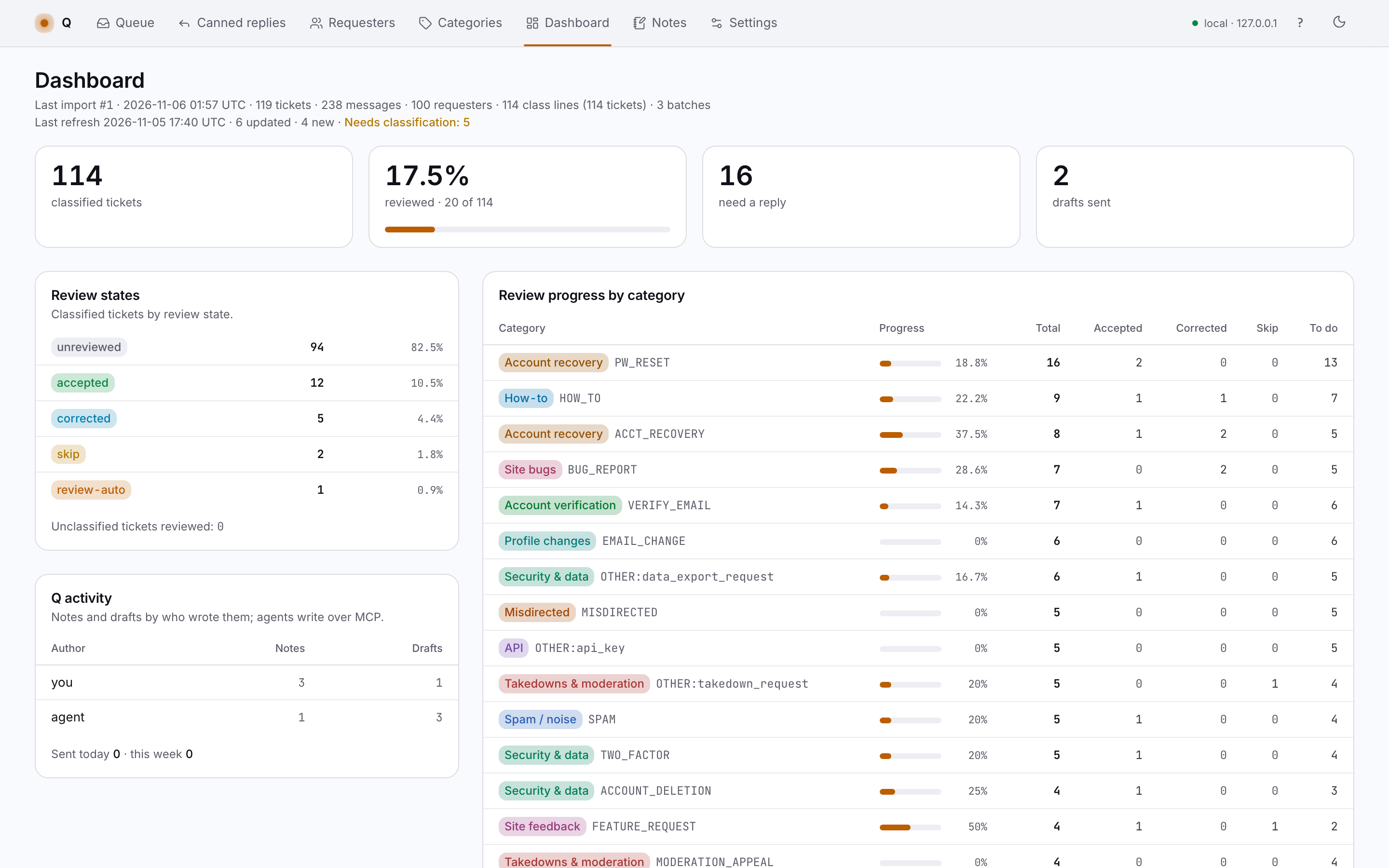
How much of the backlog is reviewed, which rollups end resolved and which end refused, and what moved this week, in your hands and in an agent's.

127.0.0.1 / dashboard
Dashboard: review progress, rollups by outcome, recent activityDashboard: review progress, rollups by outcome, recent activity

Around the edges

Agent access over MCP

A local MCP server gives an agent the same queue: it can read tickets, propose a classification and leave a draft for you to check. Its work is labelled as the agent's on every screen, and it can only write to the review tables.

Refresh from the helpdesk API

One button runs a GET-only refresh: new and changed tickets come in, get normalised and imported, and the coverage line says how current the data is. Nothing is ever posted back.

Honest notes

Built for one queue

Q was made for one person working one support backlog, in long evening sessions with the helpdesk open in the next tab. It fits that job closely and makes no promises about yours.

Local only

It runs on your machine and listens on 127.0.0.1. The ticket data stays in a local database; the only network call is the read-only refresh you start yourself.

Not a product you can buy

There is no download, no signup and no pricing. This page shows how it works; the source is available on request.